
3. Sponsored Settings #
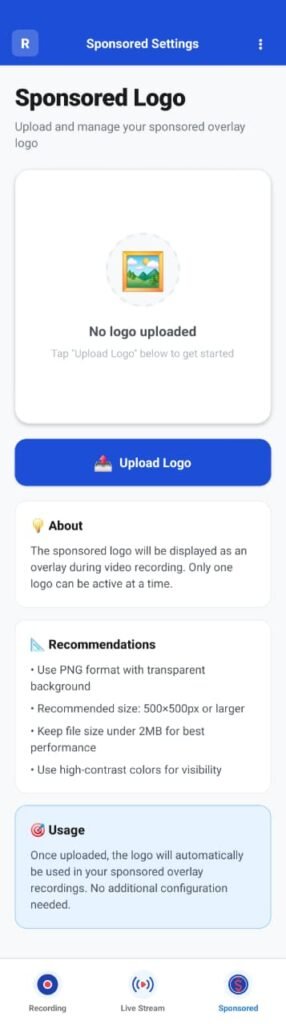
The Sponsored Settings section allows organizers to display sponsor branding during recordings and live streams.
This is commonly used for:
- Tournament sponsors
- Club partners
- Event branding
Sponsored Overlay Overview #
Sponsored overlays are visual elements (logos or branding) that appear on the video output.
These overlays:
- Remain visible during recording
- Are included in live streams
- Do not affect score overlays
Upload Sponsored Logo #
To add a sponsor logo:
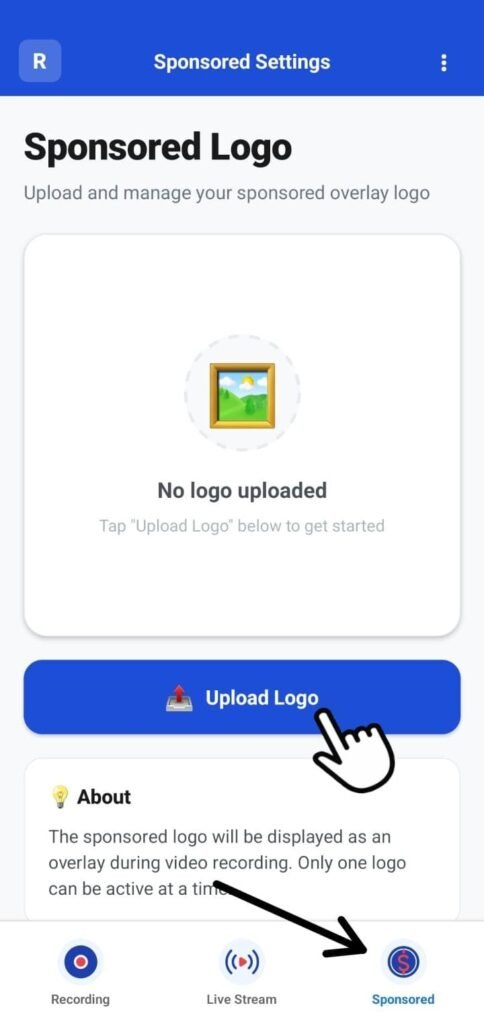
- Open the Sponsored menu
- Tap Upload Logo
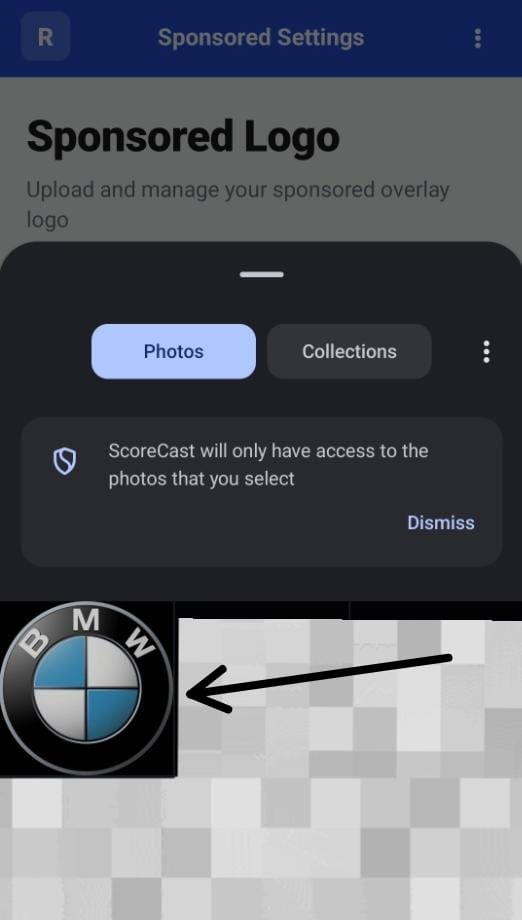
- Select an image from your device gallery
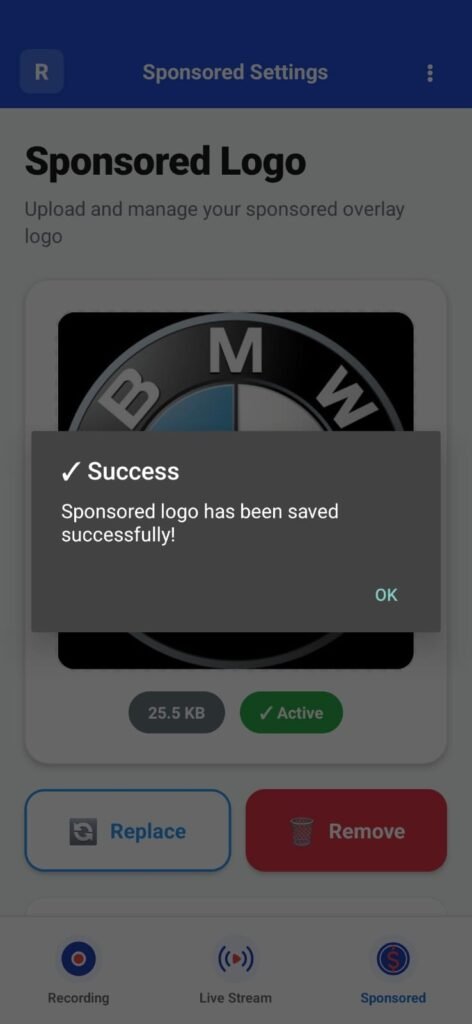
- Confirm the upload
Supported image formats typically include PNG and JPG.
Logo Usage During Recording #
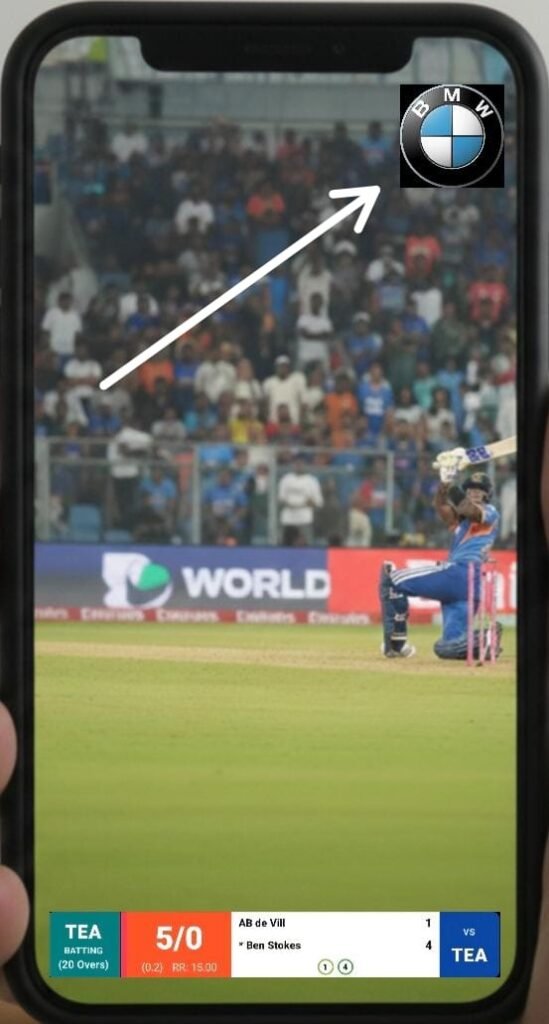
Once uploaded:
- The sponsor logo appears automatically during recording
- The logo is embedded into:
- Recorded videos
- Live streamed output
- The logo placement remains consistent throughout the session
The logo does not interfere with score overlays or video controls.
Recommendations & Best Practices #
For best visual results:
- Use high-resolution logos with transparent backgrounds (PNG preferred)
- Avoid logos with excessive text
- Ensure branding does not obstruct important on-screen content
- Test placement with a short recording before going live
Following these guidelines ensures professional and clean output quality.


