
Clubsmaster – Real-Time Score Overlay Apps
  • Home
  • Score Overlay
  • Products
    • Clubs Management
    • Fixtures Management
    • Cricket Data Integration
  • Pricing
  • Documentation
  • Contact
  • Home
  • Score Overlay
  • Products
    • Clubs Management
    • Fixtures Management
    • Cricket Data Integration
  • Pricing
  • Documentation
  • Contact
X
Clubsmaster – Real-Time Score Overlay Apps

How can we help you?

One App Every Game

Scorer Controller App

8
  • Scorer App Overview
  • Step 1: Select Your Sport
  • Step 2: Connect Your Bluetooth – BLE Setup (Mandatory)
  • Step 3: Choose Scoring Method
  • Step 4: Team Settings
  • Step 5: Match Settings
  • Step 6: Add Player & Begin your Match
  • How to Score a Match (Ball-by-Ball Scoring Interface)

ScoreCast App

7
  • ScoreCast App Overview
  • Getting Started With ScoreCast
  • Recording Menu – Recoding Configuration
  • Live Stream Menu – Configuration
  • Sponsored Menu – Configuration
  • Start Recoding – UI Interface
  • Ideal Refresh for Record Important Information

Introduction & Getting Started

4
  •  Introduction
  • Quick Start Guide
  • Two-Phone Workflow
  • System Requirements & Compatibility

Web App (app.clubsmaster.com)

9
  • Web App Overview
  • Choosing a Plan
  • Creating an Account (Signup)
  • Logging In
  • Dashboard Overview
  • Billing & Plans
  • Team & Member Management (Club Plan)
  • Account & Settings
  • Support & FAQs
  • Home
  • Docs
  • Android Apps (Scorer & Recorder App)
  • ScoreCast App
  • Getting Started With ScoreCast
View Categories

Getting Started With ScoreCast

< 1 min read

Getting Started with ScoreCast #

Accept Terms & Privacy Policy #

When you launch ScoreCast for the first time, you will be prompted to review and accept the Privacy & Data Usage Policy.

This step explains:

  • What ScoreCast records (screen, audio, camera preview)
  • How data is used during recording and live streaming
  • Where recordings are stored (locally on your device)
  • Which third-party platforms receive data during live streams

You must accept the terms to proceed. This ensures transparency and compliance before using any recording or streaming features.

Sign Up / Sign In #

After accepting the terms, you will be directed to the Sign Up / Sign In screen.
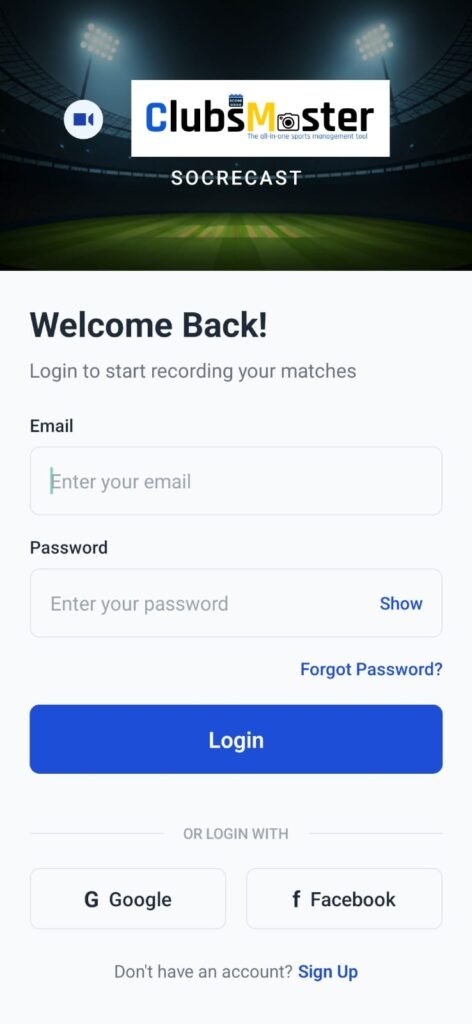
This step allows you to:

  • Create a new ScoreCast account
  • Sign in with an existing account
  • Secure access to app features and settings
  • Maintain consistency across recording and streaming sessions

Authentication is required to enable recording, live streaming, and sponsored overlay features.

Once sign-in is complete, the app automatically proceeds to the Video & Audio Settings screen for initial setup.

What are your Feelings

Share This Article :

  • Facebook
  • X
  • LinkedIn
  • Pinterest
Still stuck? How can we help?

How can we help?

Updated on February 9, 2026
ScoreCast App OverviewRecording Menu – Recoding Configuration
Table of Contents
  • Getting Started with ScoreCast
    • Accept Terms & Privacy Policy
  • Sign Up / Sign In

Copyright © Clubsmaster all rights reserved.
