Clubsmaster – Real-Time Score Overlay Apps
  • Home
  • Score Overlay
  • Products
    • Clubs Management
    • Fixtures Management
    • Cricket Data Integration
  • Pricing
  • Documentation
  • Contact
  • Home
  • Score Overlay
  • Products
    • Clubs Management
    • Fixtures Management
    • Cricket Data Integration
  • Pricing
  • Documentation
  • Contact
X
Clubsmaster – Real-Time Score Overlay Apps

How can we help you?

One App Every Game

Scorer Controller App

8
  • Scorer App Overview
  • Step 1: Select Your Sport
  • Step 2: Connect Your Bluetooth – BLE Setup (Mandatory)
  • Step 3: Choose Scoring Method
  • Step 4: Team Settings
  • Step 5: Match Settings
  • Step 6: Add Player & Begin your Match
  • How to Score a Match (Ball-by-Ball Scoring Interface)

ScoreCast App

7
  • ScoreCast App Overview
  • Getting Started With ScoreCast
  • Recording Menu – Recoding Configuration
  • Live Stream Menu – Configuration
  • Sponsored Menu – Configuration
  • Start Recoding – UI Interface
  • Ideal Refresh for Record Important Information

Introduction & Getting Started

4
  •  Introduction
  • Quick Start Guide
  • Two-Phone Workflow
  • System Requirements & Compatibility

Web App (app.clubsmaster.com)

9
  • Web App Overview
  • Choosing a Plan
  • Creating an Account (Signup)
  • Logging In
  • Dashboard Overview
  • Billing & Plans
  • Team & Member Management (Club Plan)
  • Account & Settings
  • Support & FAQs
  • Home
  • Docs
  • Scorer Controller App
  • Step 6: Add Player & Begin your Match
View Categories

Step 6: Add Player & Begin your Match

1 min read

This section explains how to add players to Score Controller and start the match once setup is complete.
Adding players in advance allows faster selection during scoring and ensures accurate scorecards.

Overview #

From this section, you can:

  • Add player names to the app
  • Build a reusable player list
  • Quickly assign batsmen during scoring
  • Proceed to start the match

Adding players is optional, but strongly recommended.

Add New Player #
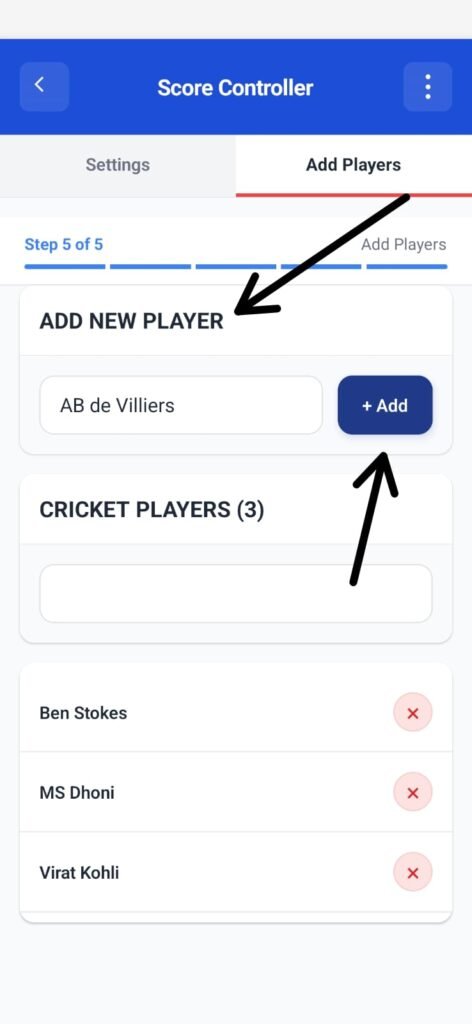
The Add New Player field lets you create a player entry.

How to Add a Player #

  1. Tap the text input field
  2. Enter the player’s name
  3. Tap + Add

Once added, the player appears in the Cricket Players list.
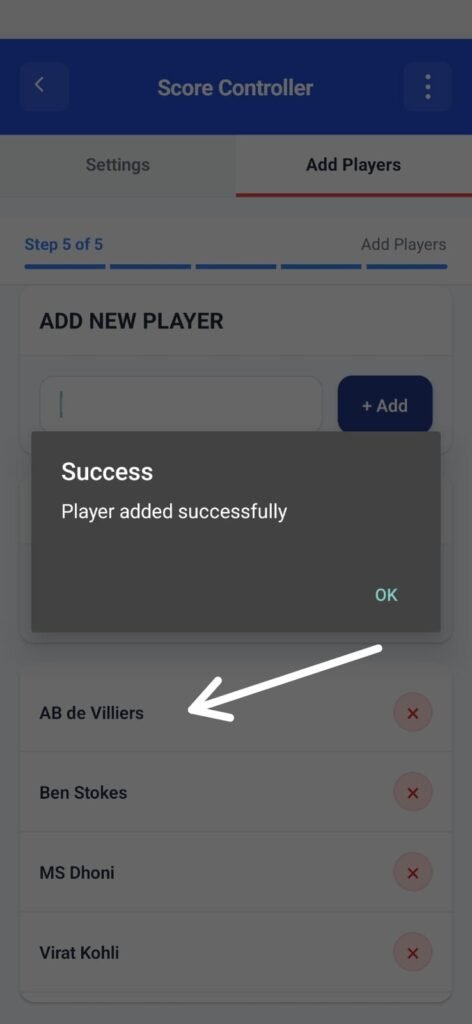
Cricket Players List #

This section displays all saved players.

  • Initially shows “No players added yet”
  • Updates automatically as players are added
  • Player count is shown in brackets (e.g., Cricket Players (5))

Why This Matters #

Saved players:

  • Can be selected instantly during scoring
  • Reduce typing errors
  • Improve speed during live matches

You can reuse the same player list for multiple matches.

Best Practices for Adding Players #

  • Add all team players before starting the match
  • Use clear, consistent names
  • Avoid duplicate spellings (e.g., “Rahul” vs “Rahool”)
  • Add substitutes if required

Switching Between Settings and Add Players #
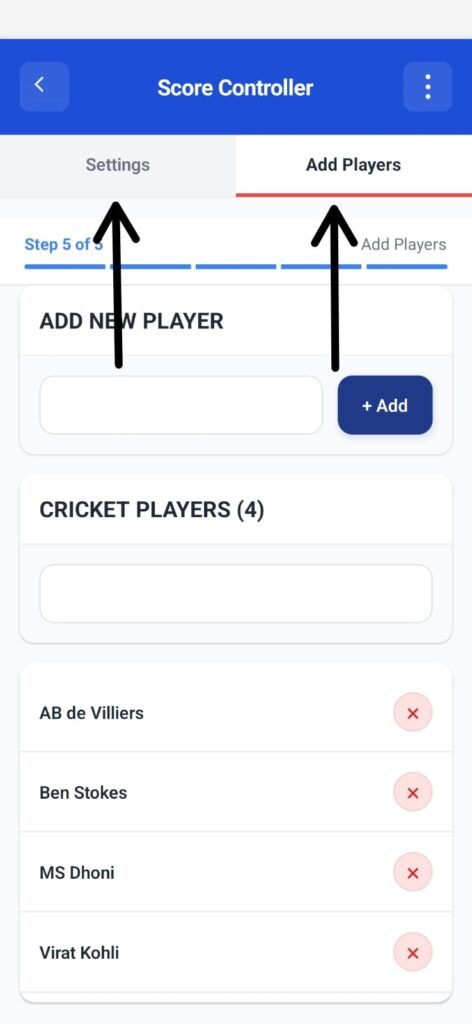
You can move freely between:

  • Settings → Match & team rules
  • Add Players → Player list

No data is lost while switching tabs.

Begin Your Match #

Once players are added (or skipped):

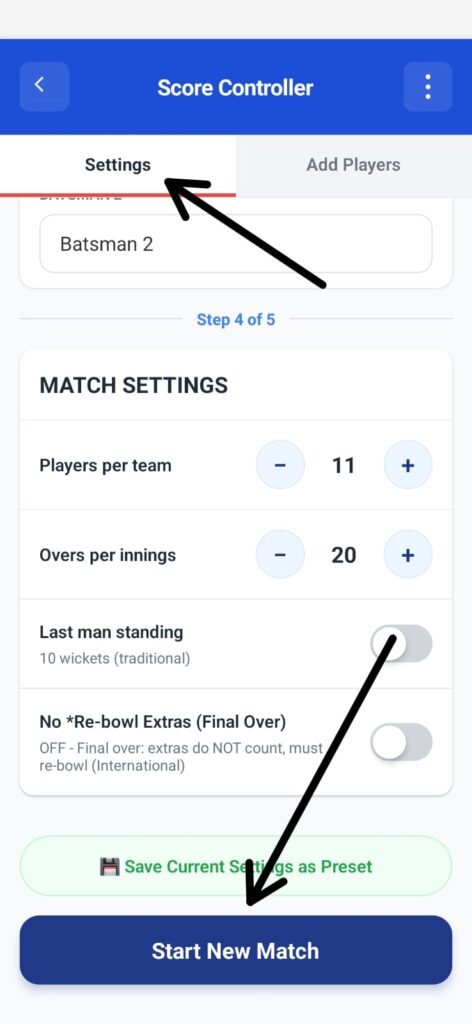
  1. Review your match settings
  2. Confirm teams and rules
  3. Tap Start New Match

What Happens Next #

  • Match setup is locked
  • Scoring screen opens
  • Players can be selected instantly from the saved list
  • Live scoring begins

Important Notes #

  • Adding players is not mandatory
  • You can still enter player names manually during scoring
  • Player list remains saved for future matches

What are your Feelings

Share This Article :

  • Facebook
  • X
  • LinkedIn
  • Pinterest
Still stuck? How can we help?

How can we help?

Updated on February 4, 2026
Step 5: Match SettingsHow to Score a Match (Ball-by-Ball Scoring Interface)
Table of Contents
  • Overview
  • Add New Player
    • How to Add a Player
  • Cricket Players List
    • Why This Matters
  • Best Practices for Adding Players
  • Switching Between Settings and Add Players
  • Begin Your Match
    • What Happens Next
  • Important Notes

Copyright © Clubsmaster all rights reserved.